SettleItGPT
React Native Developer · Apr 2025 - Sep 2025
Co-developed and launched an AI-powered iOS application with React Native and Expo, taking the product from an early MVP to a complete App Store release.
Gallery
Focus Areas
- Built AI-powered character personas for judging user discussions.
- Integrated native iOS features including the microphone, camera, and photo library.
- Implemented AI-generated voice responses for selected characters.
- Worked across both the React Native app and Firebase backend.
- Helped prepare and publish the app on the Apple App Store.
Story
Continue reading
I started working on JudgeGPT in April 2025, a project that was later renamed to SettleItGPT.
One of my friends introduced me to the project. It was an iOS app built with Expo and React Native, and he wanted to take it further. He explained the idea to me, and I thought it was really creative and fun. I'd also worked a little with React Native and Expo before, so I figured I could help build it.
The idea was that whenever two people disagreed about something and neither was willing to back down, they could ask a judge to settle it!
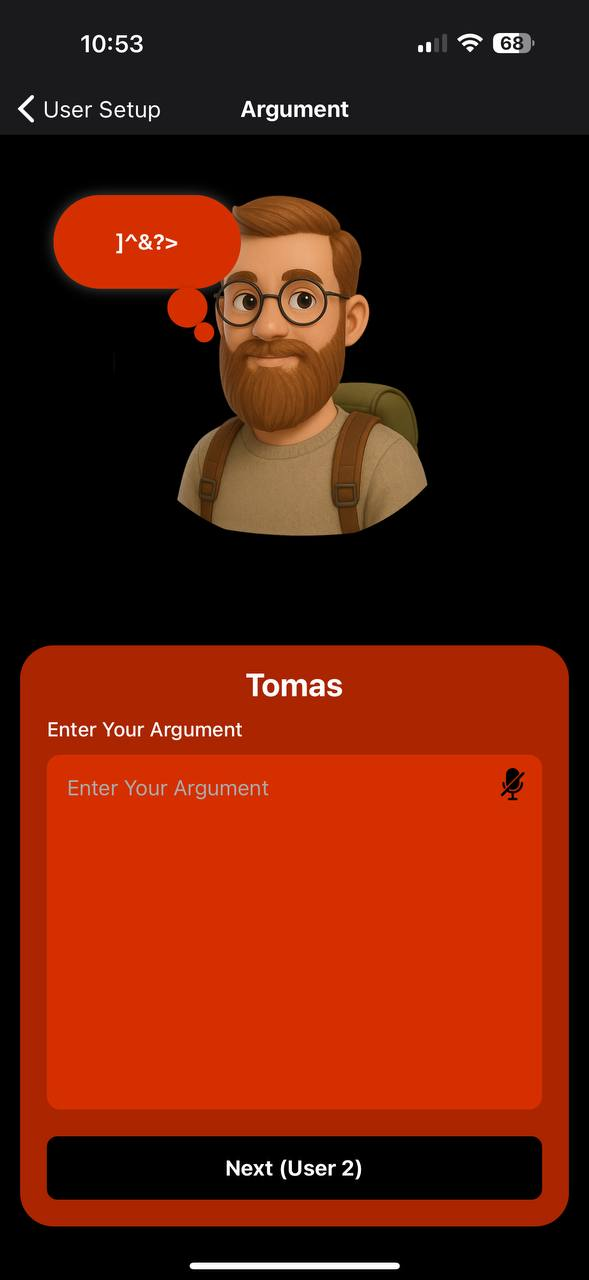
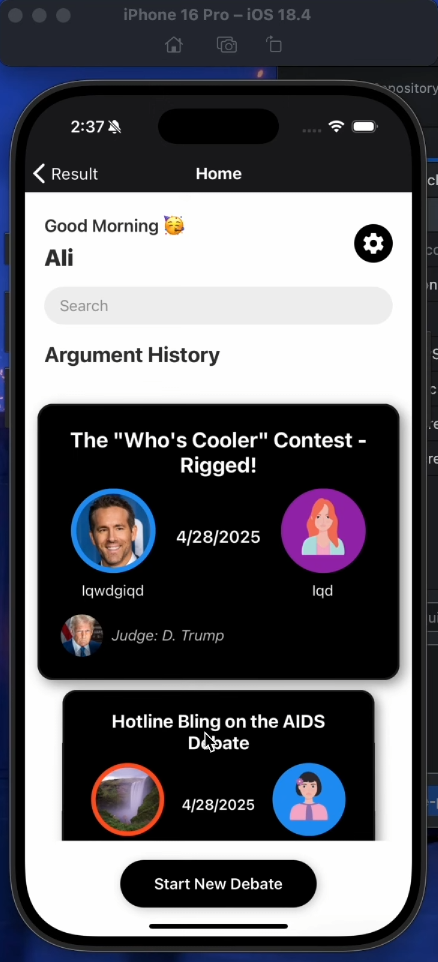
Each person would explain their side of the argument, and together they'd choose one of the characters in the app to act as their judge. The AI would then look at both sides based on the personality we'd defined for that character and decide who was right and why.
The fun part was that the judges all had different personalities. For example, one of them was Donald Trump, and another was Mickey Mouse! Naturally, Trump might judge an argument very differently from Mickey Mouse.
When my friend introduced me to the project, he'd already built the basic structure of the app, but there was still a lot left to do. We decided to work on it together, complete the app, and get it onto the App Store.
One of the things we worked on was integrating native iOS features.
For example, we wanted users to be able to tap the microphone button and speak instead of typing their arguments. iOS would then convert their speech into text and put it into the app.
We also wanted users to be able to choose photos from their gallery or take new ones with the camera, rather than using the app's default pictures to represent the two people in a debate.
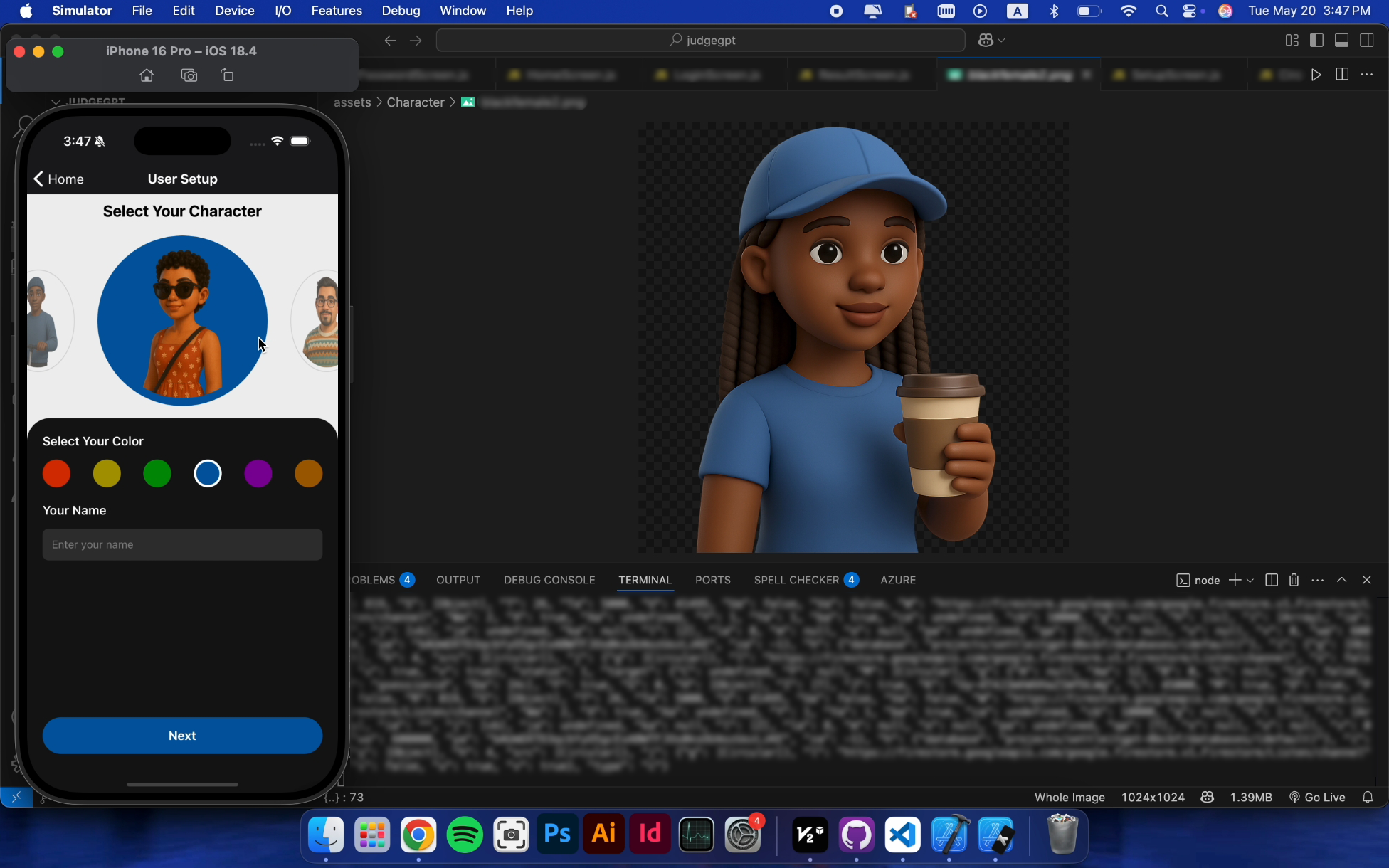
To implement these features, I had to learn more about native iOS capabilities and APIs. I also used macOS and the iOS Simulator to develop and test the app.
The project used Firebase for its database, which I'd already worked with in two or three mini-projects. Both my friend and I worked on the frontend and backend, and quite often, changing a feature meant making changes to both sides.
Another interesting thing about our collaboration was that I was in Iran and my friend was in the United States.
We each worked on the project during our own daytime. A lot of the time, when I was coding, he was asleep, and vice versa. There was one advantage to that time difference, though: we ran into far fewer merge conflicts!
We ran into all kinds of problems while building the app.
From Expo's limitations with native features to issues with loading data, setting up payments with Stripe, building the subscription system, and getting the app ready for the App Store.
Some of the features we wanted couldn't be implemented with the project's original setup. Eventually, we had to change its structure and use a combination of Expo and React Native to make everything work.
The subscription system allowed each user to have up to five debates for free. After that, they'd need to buy a subscription to keep using the app. Setting up and testing that part came with plenty of challenges too.
Toward the end of the project, we added another feature that I really liked.
Until then, the judge's decision had only been displayed as text. The selected judge would explain why one side was right and give their opinion on both people's arguments.
We decided to add the option to hear the decision in the judge's voice too.
To do that, we used another AI model to generate voices for the characters and added an audio player to the app.
Once the judgment was ready, users could request an audio version of the entire response, read aloud in a voice resembling the selected character. So if they'd chosen Trump as their judge, they could hear the decision in a voice that sounded like him.
Once we'd finished building the features, we moved on to testing the app and getting it onto the App Store.
That part had its own challenges as well. We had to prepare the app for Apple's review process, fix issues that came up during testing, and go through the approval process.
Eventually, the app was approved, and SettleItGPT made it onto the Apple App Store!
We worked on the project until late September 2025. Once the app was available, my friend and I shared posts introducing it, and anyone could download it from the App Store.
I was really happy that we'd managed to take the project from an early version to a complete app and even get it approved by Apple.
About a year later, though, my friend decided to take the app off the App Store. Maintaining an Apple Developer account came with an annual fee, and keeping the app available was no longer financially worth it for him.
Overall, working on SettleItGPT was a really good experience for me. Over those few months, I learned a lot about different parts of iOS development, native features, Firebase, payment systems, and the process of getting an app onto the App Store. I also had to learn plenty of new things to solve the problems we ran into along the way.
I really enjoyed working with my friend too. Even though we were working from two different countries and ran into all sorts of problems, we managed to finish the app together and get it onto the App Store.
It was a fun, challenging project full of unexpected problems and interesting experiences. I enjoyed both building it and working with the person I went through the whole journey with. :)
بهار ۱۴۰۴ کار روی پروژه JudgeGPT رو شروع کردم؛ پروژهای که بعدا اسمش به SettleItGPT تغییر کرد.
یکی از دوستهام این پروژه رو بهم معرفی کرد. یه اپ iOS بود که با Expo و React Native ساخته شده بود و دوستم میخواست کاملترش کنه. ایده اپ رو برام توضیح داد و به نظرم خیلی خلاقانه و باحال بود. از طرفی من هم قبلا یکم با React Native و Expo کار کرده بودم و میتونستم تو ساختش کمک کنم.
ایده اپ این بود که وقتی دو نفر سر یه موضوعی اختلاف نظر دارن و هیچکدوم کوتاه نمیان، بتونن از یه داور کمک بگیرن!
هر نفر دیدگاه خودش رو درباره مسئله مطرح میکرد و بعد با هم یکی از شخصیتهای اپ رو بهعنوان Judge انتخاب میکردن. هوش مصنوعی بر اساس شخصیتی که برای اون داور تعریف کرده بودیم، حرفهای هر دو نفر رو بررسی میکرد و در نهایت میگفت حق با کیه و چرا.
قسمت باحالش این بود که داورها شخصیتهای متفاوتی داشتن. مثلا یکی از داورها دونالد ترامپ بود و یکی دیگه میکی ماوس! طبیعتا ممکن بود ترامپ تو یه موضوع خیلی متفاوت از میکی ماوس قضاوت کنه.
وقتی دوستم پروژه رو بهم معرفی کرد، ساختار اولیه اپ رو ساخته بود، ولی هنوز قسمتهای زیادی برای تکمیل کردن داشت. قرار شد با هم کار رو پیش ببریم و اپ رو کامل کنیم و روی App Store بذاریم.
یکی از بخشهایی که روش کار کردیم، استفاده از قابلیتهای Native خود iOS بود.
مثلا میخواستیم کاربرها بتونن بهجای تایپ کردن دیدگاهشون، دکمه میکروفون رو بزنن و حرف بزنن. بعد خود iOS صداشون رو به متن تبدیل کنه و تو اپ قرار بده.
یا برای مشخص کردن دو نفر تو بحث، بهجای استفاده از عکسهای آماده، بتونن از گالری گوشی عکس انتخاب کنن یا با دوربین عکس جدید بگیرن.
برای پیادهسازی این قسمتها لازم بود بیشتر با قابلیتها و APIهای خود iOS آشنا بشم. برای توسعه و تست اپ هم از macOS و شبیهساز iOS استفاده میکردم.
دیتابیس پروژه روی Firebase بود که قبلا تو دو سه تا مینیپروژه باهاش کار کرده بودم. تو این پروژه هم من و هم دوستم روی فرانت و بکاند کار میکردیم و خیلی وقتها تغییر دادن یه قابلیت نیاز به کار روی هر دو قسمت داشت.
یه نکته جالب همکاریمون هم این بود که من تو ایران بودم و دوستم تو آمریکا.
هر کدوم تو ساعتهای روز خودمون روی پروژه کار میکردیم. خیلی وقتها وقتی من داشتم کد میزدم، اون خواب بود و برعکس. این اختلاف زمانی یه خوبی هم داشت؛ خیلی کمتر به Merge Conflict میخوردیم!
تو ساخت این اپ به کلی مشکل مختلف خوردیم.
از محدودیتهای Expo برای استفاده از قابلیتهای Native گرفته تا مشکلات لود شدن اطلاعات، راهاندازی پرداخت با Stripe، ساخت سیستم Subscription و آماده کردن اپ برای App Store.
بعضی از قابلیتهایی که میخواستیم رو نمیتونستیم با ساختار اولیه پروژه پیادهسازی کنیم. در نهایت مجبور شدیم ساختار اپ رو تغییر بدیم و از ترکیبی از Expo و React Native برای قسمتهای مختلف استفاده کنیم.
سیستم Subscription هم به این شکل بود که هر کاربر میتونست تا ۵ تا بحث رو رایگان انجام بده و بعد برای استفاده بیشتر باید اشتراک میخرید. راهاندازی و تست این قسمت هم کلی داستان داشت.
اواخر پروژه یه قابلیت دیگه هم به اپ اضافه کردیم که خیلی ازش خوشم اومد.
تا اون موقع نتیجه قضاوت بهصورت متن نمایش داده میشد. داور انتخابشده توضیح میداد که چرا یکی از طرفین حق داره و درباره حرفهای هر دو نفر نظر میداد.
تصمیم گرفتیم امکان شنیدن نتیجه با صدای خود داور رو هم اضافه کنیم.
برای این کار از یه مدل دیگه برای تولید صدای شخصیتها استفاده کردیم و یه بخش پخش صدا هم به اپ اضافه کردیم.
بعد از آماده شدن نتیجه، کاربر میتونست درخواست بده که متن قضاوت با صدای شبیهسازیشده همون شخصیت خونده بشه. مثلا اگه ترامپ رو انتخاب کرده بود، میتونست نتیجه رو با صدایی شبیه ترامپ بشنوه.
بعد از تکمیل قابلیتها، رفتیم سراغ تست و مراحل قرار دادن اپ روی App Store.
این قسمت هم مشکلات خودش رو داشت. باید اپ رو برای بررسی اپل آماده میکردیم، مشکلاتی که موقع تست پیدا میشدن رو برطرف میکردیم و مراحل تاییدش رو پشت سر میذاشتیم.
در نهایت اپ تایید شد و SettleItGPT روی Apple App Store قرار گرفت!
ساخت و تکمیل پروژه تا حوالی شروع پاییز ۱۴۰۴ طول کشید. بعد از اینکه اپ روی App Store قرار گرفت، من و دوستم هم پستهای معرفیش رو گذاشتیم و برنامه برای دانلود عموم در دسترس قرار گرفت.
از اینکه تونسته بودیم پروژه رو از یه نسخه اولیه به یه اپ کامل برسونیم و حتی تایید اپل رو هم براش بگیریم خیلی راضی بودم.
البته حدود یک سال بعد، دوستم تصمیم گرفت اپ رو از App Store برداره. نگه داشتن اکانت توسعهدهندگی اپل هزینه سالانه داشت و ادامه دادن پروژه دیگه از نظر اقتصادی براش بهصرفه نبود.
در مجموع کار کردن روی SettleItGPT تجربه خیلی خوبی برام بود. تو این چند ماه با بخشهای مختلف توسعه iOS، قابلیتهای Native، Firebase، سیستم پرداخت و مراحل تایید اپل و قرار دادن اپ روی App Store آشنا شدم و برای حل مشکلاتی که تو پروژه پیش میاومد کلی چیز جدید یاد گرفتم.
از همکاری با دوستم هم خیلی لذت بردم. با اینکه از دو کشور مختلف روی پروژه کار میکردیم و تو مسیر ساختش به مشکلات زیادی خوردیم، در نهایت تونستیم اپ رو کامل کنیم و روی App Store بذاریم.
یه پروژه فان و پرماجرا بود که هم از ساختنش خوشم اومد، هم از آدمی که باهم تا آخر این مسیر رفتیم :)
Ask ChatGPT
Get a summary or ask questions about this page.